VeLens features for Salesforce Marketing Cloud

Stop clicking through folder trees

Ctrl / Cmd + Shift + K

One shortcut searches your whole business unit. Type a few letters of a data extension, journey, automation, or activity and press Enter to land on it.

  • Fuzzy search across data extensions, journeys, automations and activities
  • Opens the record directly, no folder navigation
  • Available on every Marketing Cloud page, from anywhere in the app
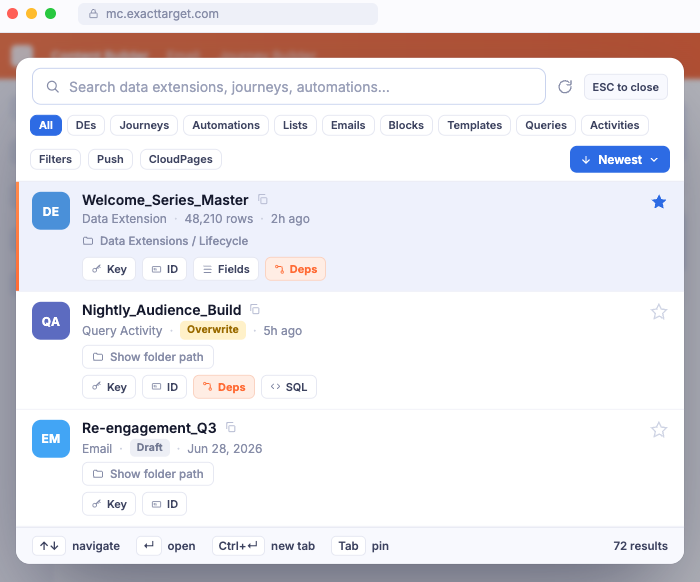
Command palette searching data extensions, journeys, and automations

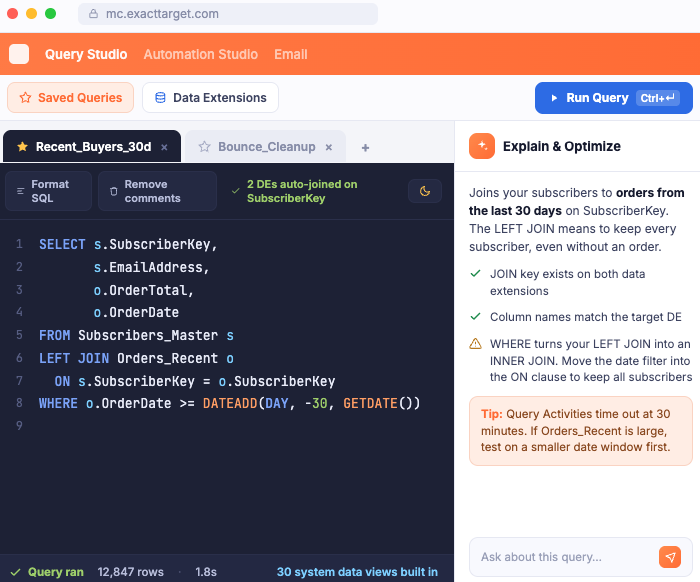
Write SQL without guessing at column names

A proper editor on top of Query Studio: syntax highlighting, tabs, saved queries, and the data extension schema right next to what you are writing.

  • Highlighted editor with tabs and bookmarked queries
  • Field names and types read from the actual data extension
  • Ask AI to explain or optimize a query, then apply the SQL to the editor in one click
Query Studio with AI-assisted SQL

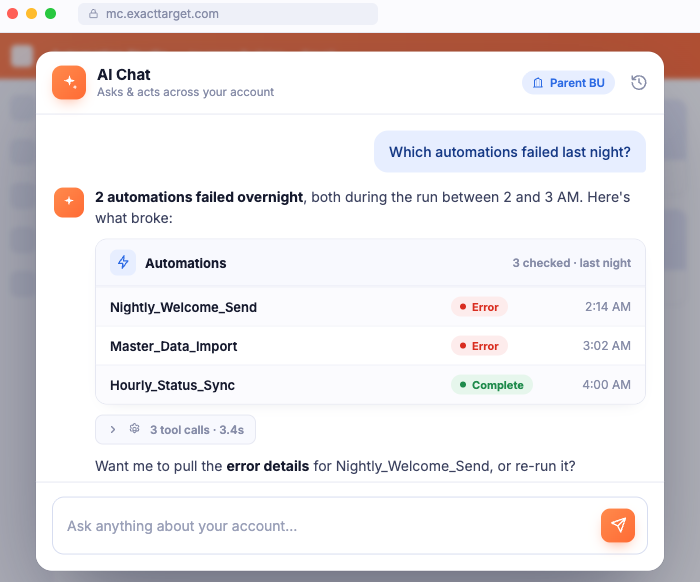
Ask your org a question, get a real answer

"Why did last night's automation fail?" normally costs twenty minutes of clicking. Ask in plain words instead and VeLens goes and finds out.

  • Runs real tools against your org, so answers come from live data
  • Shows every call it made in a trace you can open
  • Proposes changes with a preview and waits for your confirmation
AI Chat diagnosing overnight automation failures
1

You ask

Plain words, no syntax, no menus.

2

It debugs with tools and skills

Real tools against your org, plus built-in Marketing Cloud know-how to work out what went wrong.

3

It answers with your data

Data cards computed from the raw tool output. The model narrates, the numbers are your org's.

4

You confirm the write

Changes run only when you click Confirm. Every action is logged.

More of Marketing Cloud, made faster

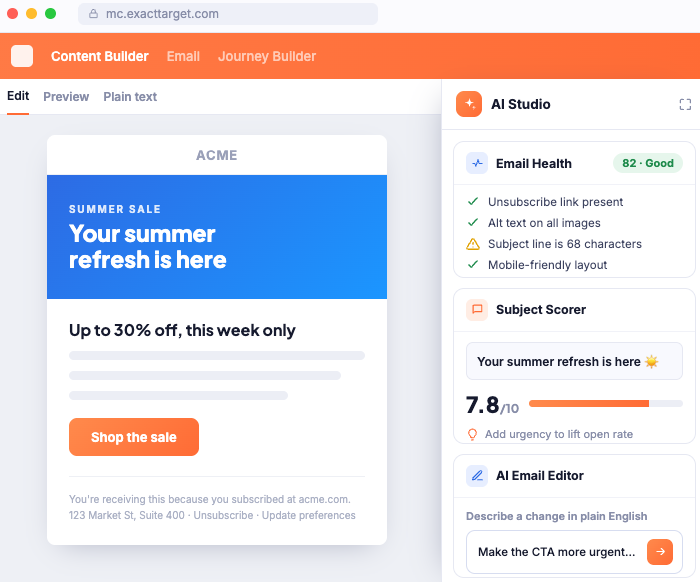
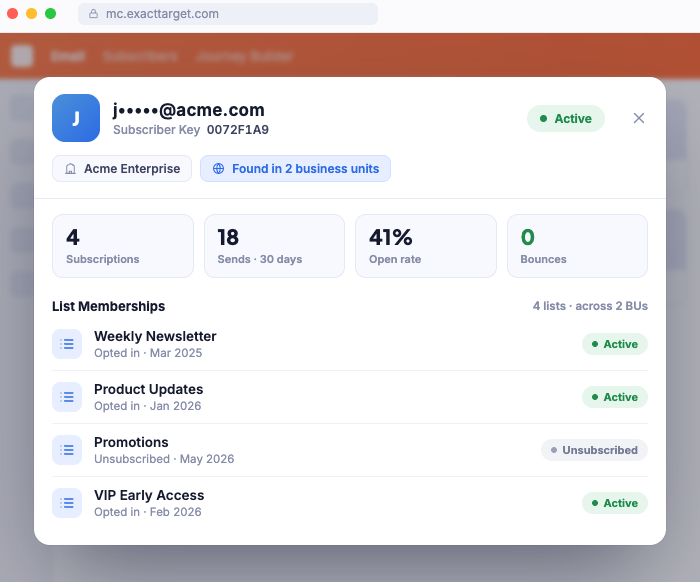
The rest of what VeLens adds to the pages you already open every day.

AI Studio with email health checks, subject scoring, and AI editing
Subscriber lookup across business units
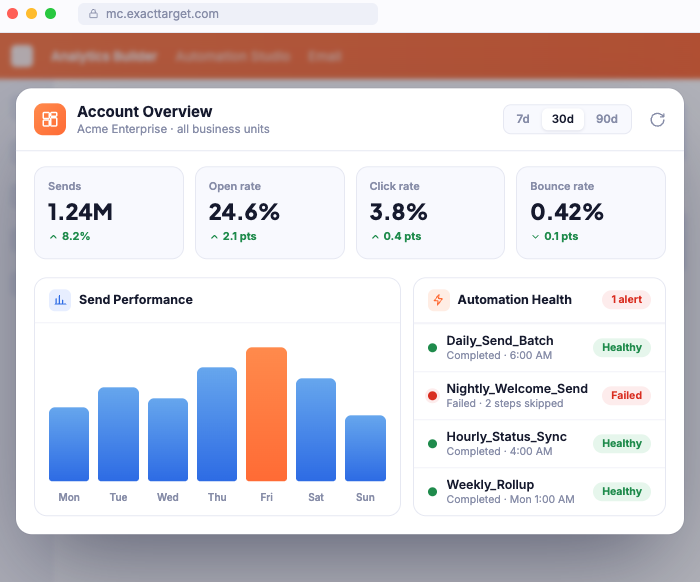
Send performance and automation health dashboards

Built for orgs where security review is the norm

VeLens is wired to pass the review your team would put it through, because it is going through the one Salesforce runs too.

We do not claim certifications we do not hold. There is no SOC 2 badge here. What we do claim is specific, checkable, and listed here.

Salesforce AppExchange security review in progress · VeLens is not affiliated with, endorsed by, or sponsored by Salesforce, Inc. · Full detail in the Privacy Policy.

  • Your package, your controlAccess runs through your org's own Installed Package. Revoke it from SFMC Setup at any moment.
  • Credentials never touch the browserTokens are held server-side and encrypted at rest. The browser only ever gets a short-lived, business-unit-scoped token.
  • Subscriber data stays homeNo subscriber row ever reaches the model. Schemas, counts, and errors only, masked on the server. Structural, not a setting.
  • Nothing changes without youWrites propose first and run only on your confirmation, against the exact tool proposed.
  • A full audit trailEvery tool call and confirmed write is recorded: who asked, what ran, what changed.
  • Zero-data-retention AI routingModel calls run through a gateway set to zero retention, fail-closed. No silent fallback to another route.