A Chrome extension that puts fourteen tools right into the Marketing Cloud pages you already have open: command palette, subscriber lookups, AI chat in context, and more. The navigation and browsing tools work the moment you land on an SFMC tab, with zero connection required; connect your org to unlock subscriber lookups, the Error Log and the AI layer.
The AI features run on a server-side agent loop. Every tool call is visible in the reply, and every write is proposed before anything changes.
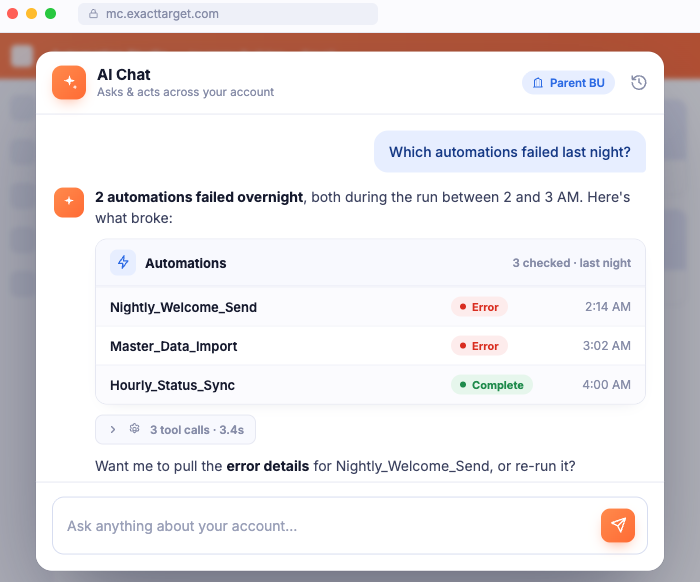
Ask about automations, journeys, data extensions, and sends. The agent is scoped to the business unit you're viewing, calls real tools, and returns the actual data, with the tool trace right there in the reply. Writes are confirm-gated.
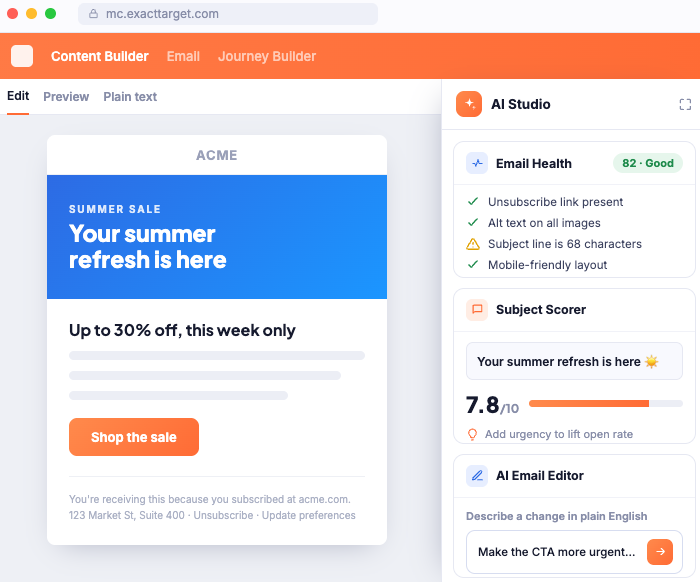
Describe an email in plain words and VeLens drafts it, as pasted HTML or drag-and-drop blocks. It edits existing emails block by block too, and always proposes the change in a preview panel before writing anything to Content Builder.
Scores your subject line and preheader against the actual email body, not generic best-practice rules. Get a read on clarity, length, and relevance before you schedule the send.
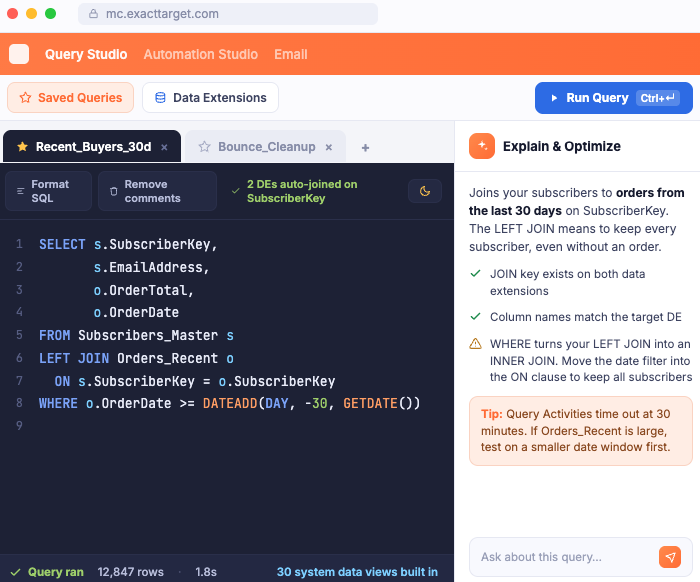
Schema-aware SQL, in-place inspection, and dependency tracing, so you understand what you have before you change it.
A copilot inside Query Studio that reads your data extension schemas: exact columns and types, including ENT. shared DEs and system data views. It writes SFMC-flavored SQL you apply to the editor in one click, and explains or optimizes queries you already have.
Opens contextually on any data extension in Contact Builder and Email Studio: schema, row counts, and a field quick view without leaving the page. It'll even draft an AI description straight onto the native DE properties field.
Before you rename or drop a data extension, trace exactly which queries and automations reference it, including ENT.[Shared DE] references. Change things with your eyes open instead of finding out at 2 AM.
Lookups, diagnostics, and monitoring built for ticket work. Most of it is reachable from a single keystroke.
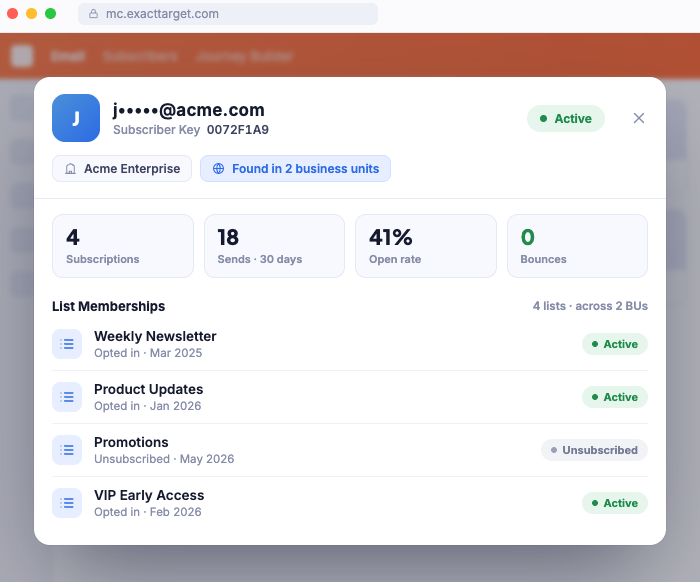
Find a subscriber across business units and see status, list memberships, and event history in one view. Reach it instantly with Ctrl+Shift+L, with no drilling through the legacy Subscribers frameset.
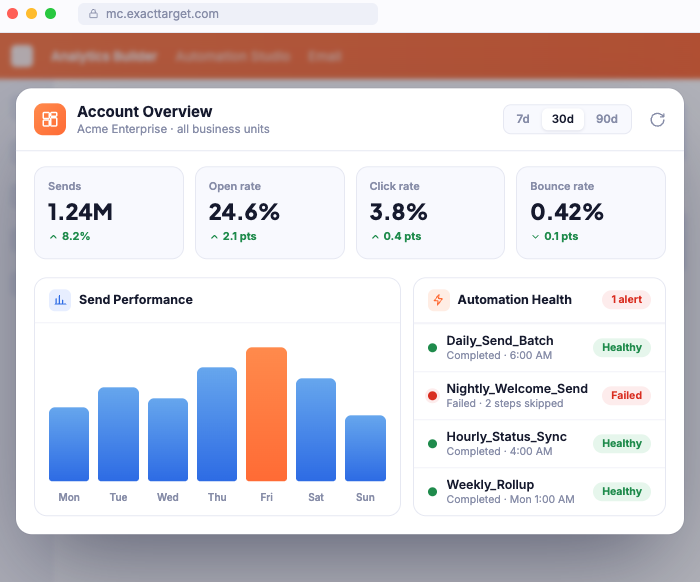
Background monitoring polls your automations and surfaces failures before someone escalates them. See what ran, what failed, and where it broke, without opening each automation by hand.
Engagement rollups on your recent sends: opens, clicks, and delivery at a glance. Spot a soft send or a strong one without exporting a tracking report.
Triggered send errors, collected and readable in one place. Press Ctrl+Shift+E to open it and see why messages aren't reaching people, right when a subscriber is on the phone.
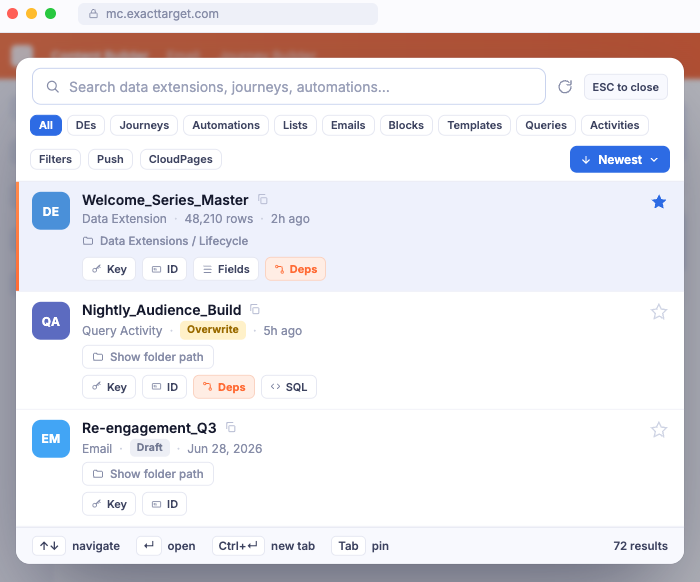
One keystroke, Ctrl+Shift+K, searches everything: features, automations, activities, and navigation. It's the fastest way through Marketing Cloud, whether or not you've connected your org.
A consolidated view of how contacts are engaging across your recent activity. It's the signal you need to prioritize follow-up, without stitching together separate reports.
The extension is a door onto the VeLens platform, not a separate product. Its AI features call the same server-side agent loop, the same org tools, and the same confirm-gated writes you get in VeLens Cloud: business-unit aware, audit logged, with no subscriber rows ever sent to the model.
Add VeLens for Marketing Cloud from the Chrome Web Store. Free, no account required to start.
Land on any SFMC page and press Ctrl+Shift+K for the command palette. The core tools are live immediately, on your existing session.
One OAuth flow through your own Installed Package unlocks the AI layer and cross-business-unit reach. Revoke from SFMC Setup any time.
Prefer to work outside the extension, or can't install one? VeLens Cloud meets you elsewhere too.
The web app: full AI workspace, Org Health snapshots, and org-wide team and feature controls. Works from any browser, nothing to install.
Explore VeLens Cloud → LiveThe same web app, opened from SFMC's own app switcher. One click from the interface your team already opens, nothing to install.
See how it works →Install free and the core features work the moment you open a Marketing Cloud tab. Connect your org when you're ready to unlock the AI layer.